
We're excited to announce that Yep Anywhere now has a free public relay at relay.yepanywhere.com. This makes it easier than ever to access your Claude Code agents from your phone, tablet, or any device—no Tailscale, no port forwarding, no VPN setup required.
Just install Yep Anywhere, enable the relay in Settings, and you're connected from anywhere in the world. Already set up? Log in at yepanywhere.com/remote.
What is Yep Anywhere?
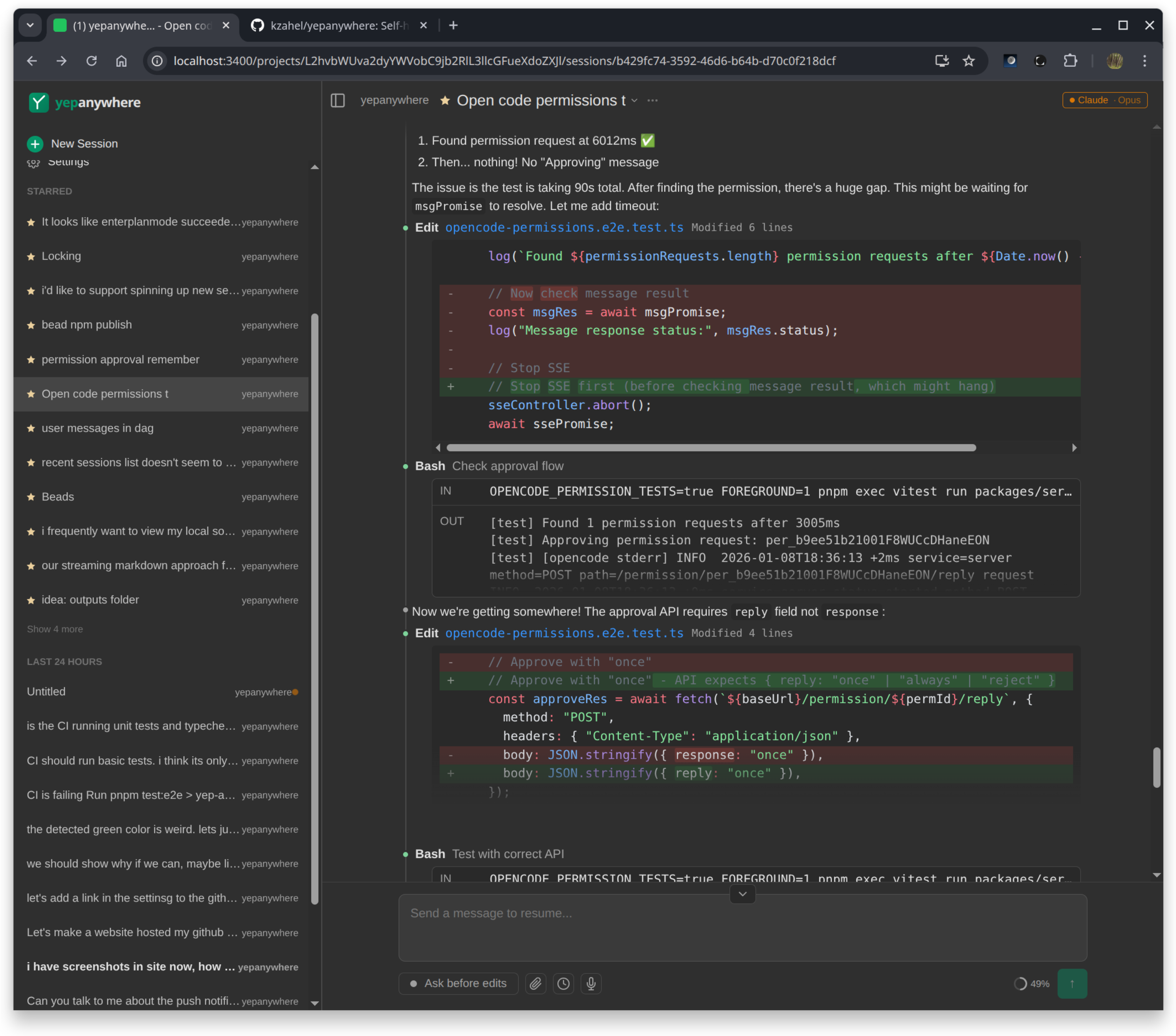
Yep Anywhere is a mobile-first web interface for Claude Code. Think of it as the VS Code Claude extension, but designed for phones and multi-session workflows.
The core idea: Claude runs on your dev machine (where your code lives), but you can supervise it from anywhere. Walk away from your desk and your agent keeps working. Get a push notification when it needs approval. Respond from your lock screen. Check in between meetings.
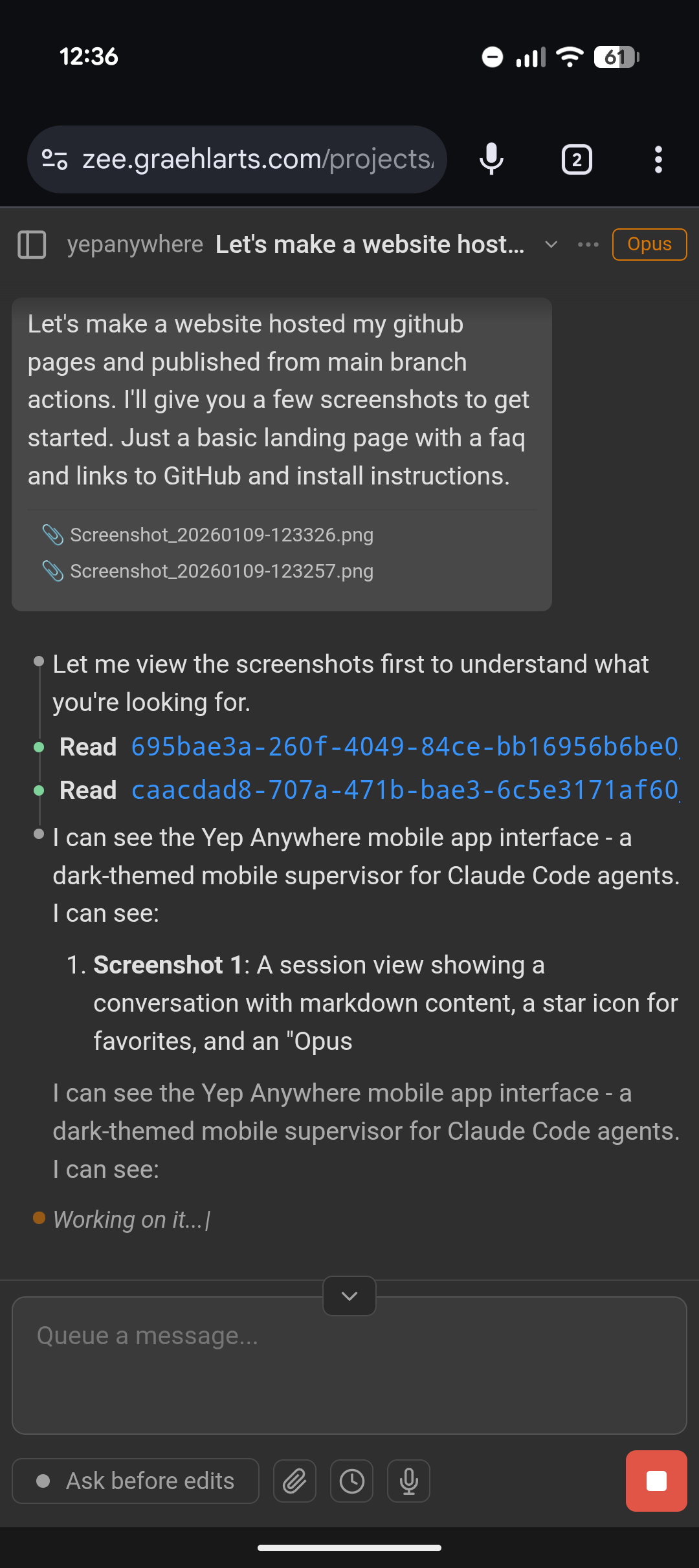
Chat with your agent
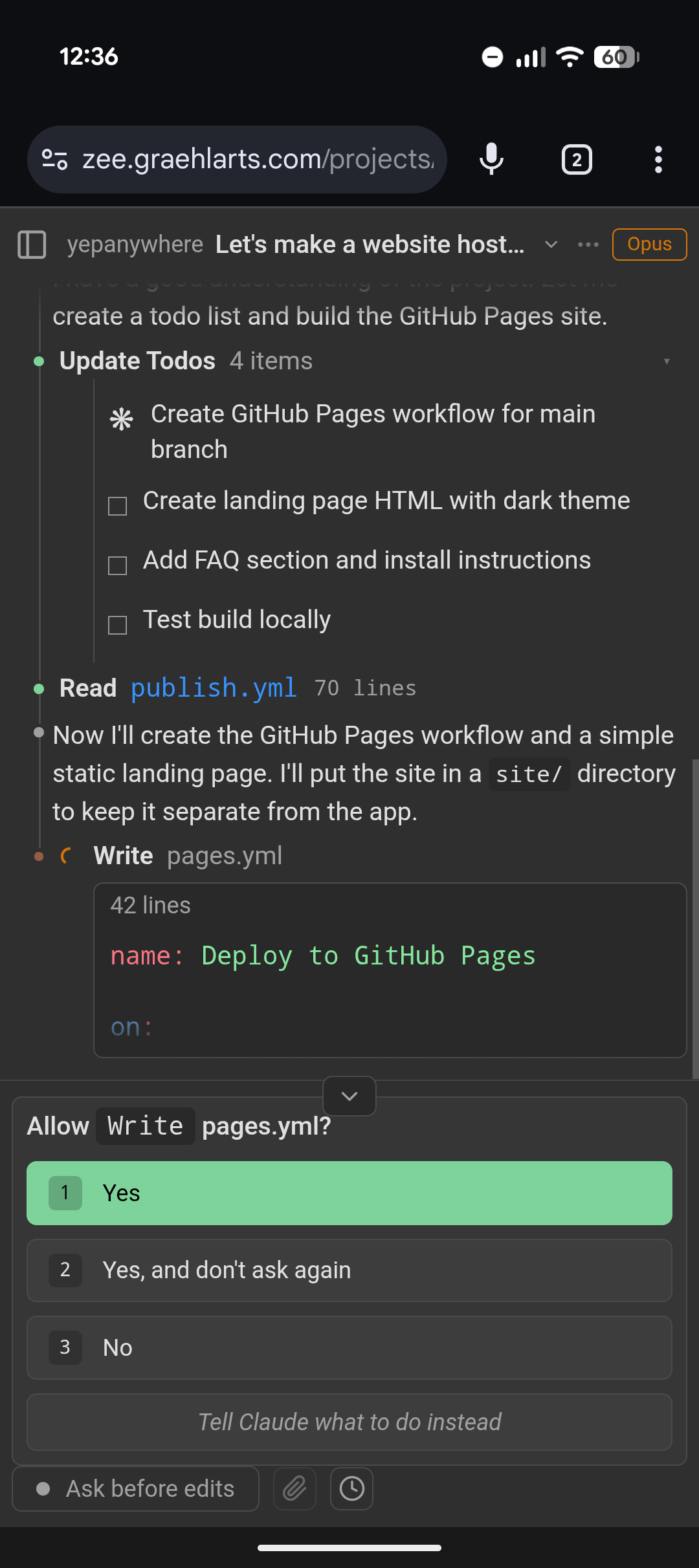
Approve tool requests
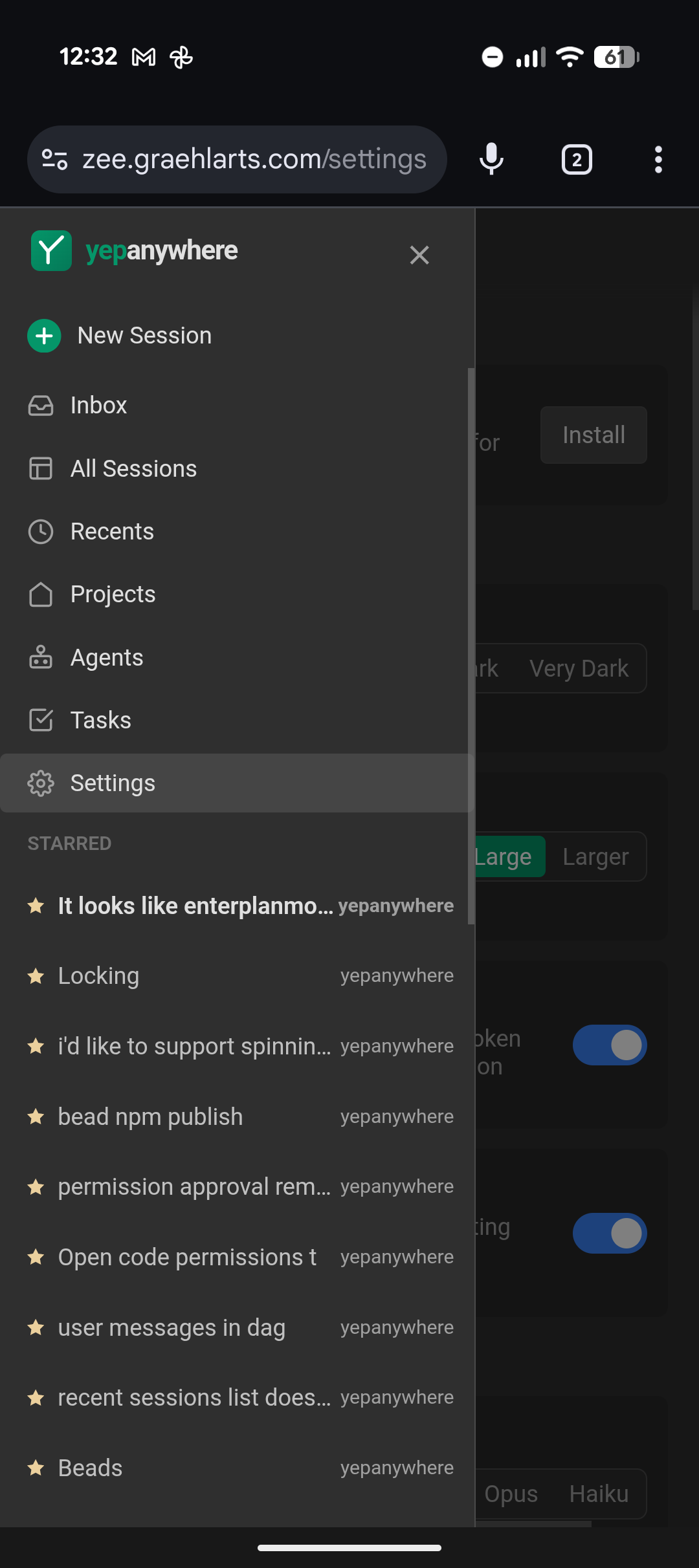
See all sessions at a glance
Why We Built This
Claude Code is great, but it ties you to your desk. If you're using the CLI, you need a terminal open. If you're using VS Code, you need VS Code open. Step away and you lose visibility.
We wanted something different:
- Server-owned processes — Claude runs on your dev machine. Client disconnects don't interrupt work. Pick up where you left off on any device.
- Multi-session dashboard — See all your projects at once. No more cycling through terminal tabs or VS Code windows.
- Mobile supervision — Push notifications for approvals. Respond from your phone. Keep your agents productive while you're away.
- File uploads from anywhere — Share screenshots, images, and documents directly from your phone's camera roll.
How the Public Relay Works
The relay solves a fundamental problem: your dev machine is behind a firewall, but you want to access it from your phone on cellular data.
Previously, you needed Tailscale, ngrok, port forwarding, or a VPN. Now you just enable the relay:
npm i -g yepanywhereyepanywhere# Open Settings → Enable "Public Relay"
Your server connects to relay.yepanywhere.com and gets a unique URL. Open that URL on your phone and you're in.
End-to-End Encrypted
All traffic is encrypted using SRP-6a key exchange and TweetNaCl. The relay can't see your code, your conversations, or your files. We only see encrypted blobs passing through.
No accounts are required. No Firebase, no database, no tracking. Your password never leaves your device—it's only used to derive encryption keys locally.
Full Feature Set
Beyond remote access, Yep Anywhere gives you:
- Real-time streaming — Watch Claude think and work, just like in the terminal
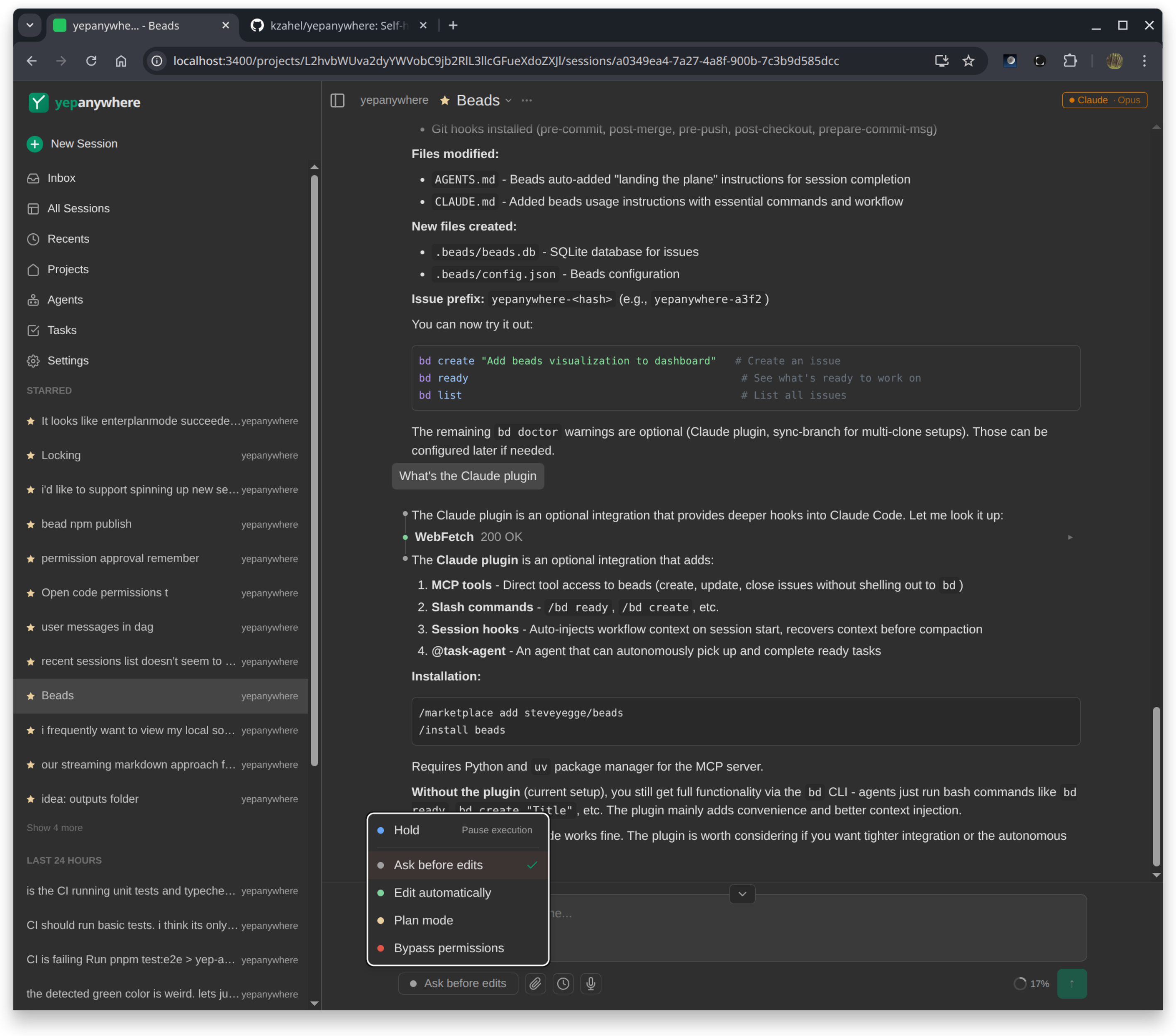
- Tool approval — Approve or reject tool requests from your phone
- File uploads — Share images, screenshots, and documents from any device
- Push notifications — Get notified when your agent needs attention (uses VAPID, no third-party services)
- Voice input — Talk to your agents via browser speech API
- Session management — Star important sessions, archive old ones, filter and search
- Interop — See sessions started in Claude CLI or VS Code in real-time
- Diff viewer — Review code changes with syntax highlighting
- Todo tracking — See Claude's task list and progress
Getting Started
Installation takes about 30 seconds:
# Install from npmnpm i -g yepanywhere# Start the serveryepanywhere# Open http://localhost:3400# Go to Settings → Enable "Public Relay"# Set a username and password for remote access
Once configured, go to yepanywhere.com/remote on your phone or any device. Enter your username and password, and you're connected.
Requirements
- Node.js 18+
- Claude Code CLI installed and authenticated (or an Anthropic API key)
- That's it
Privacy & Security
We take privacy seriously:
- End-to-end encryption — The relay can't read your data
- No accounts — No email, no signup, no tracking
- Runs locally — All your data stays on your machine
- Open source — 100% MIT licensed, audit it yourself
- Self-host option — Run your own relay if you prefer
The only thing we store is the encrypted connection state while you're connected. When you disconnect, it's gone.
What's Next
We're actively developing Yep Anywhere. Some things we're working on:
- Remote executors — run Claude on VMs or containers via SSH
- Better notification controls
- Session sharing (with permission)
- More agent providers (Codex, local models)
If you have feature requests or find bugs, open an issue on GitHub.
Try It Now
Install Yep Anywhere and enable the public relay. Your dev machine in your pocket.
Get Started