
Walk away. Your agents keep shipping.
Claude Code and Codex run on your machine. Approve, supervise, and unblock them from your phone — sessions never stop, even if you close the browser.
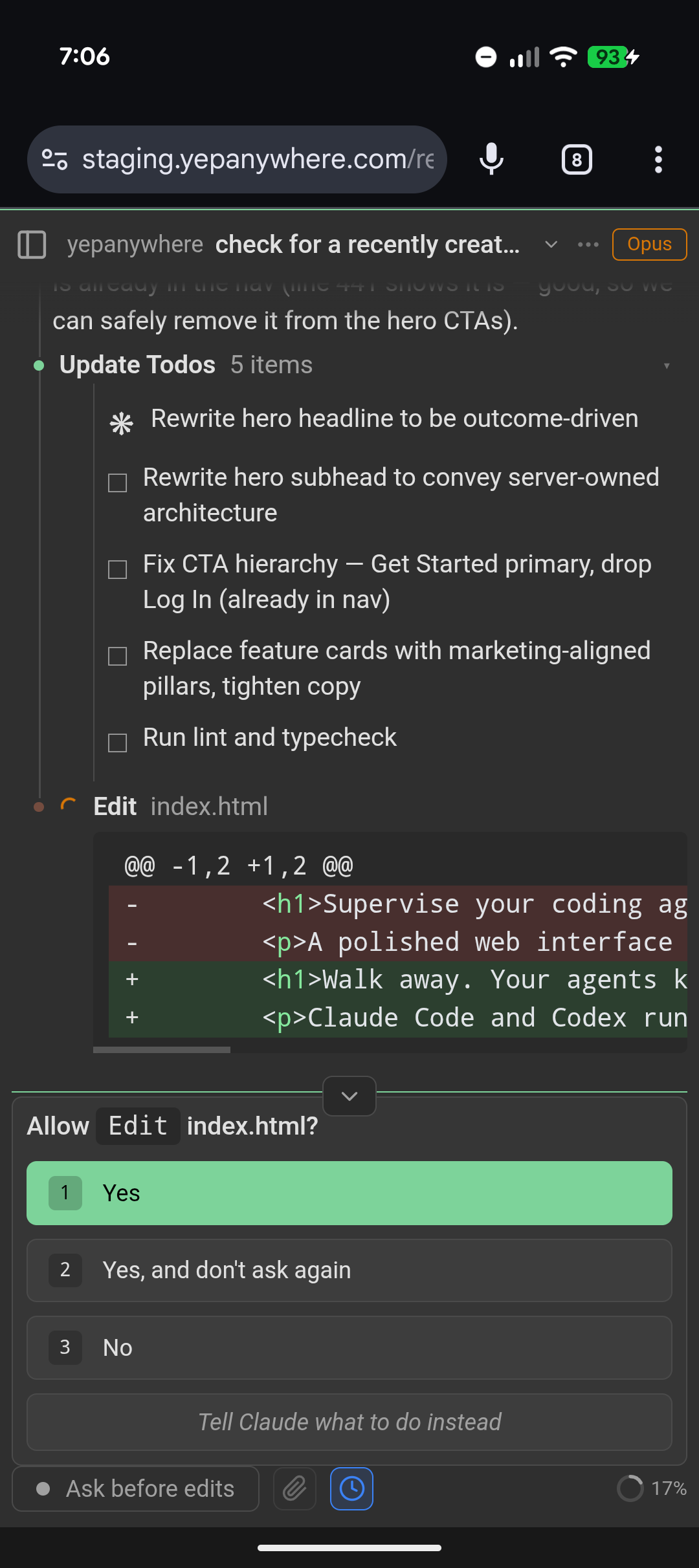
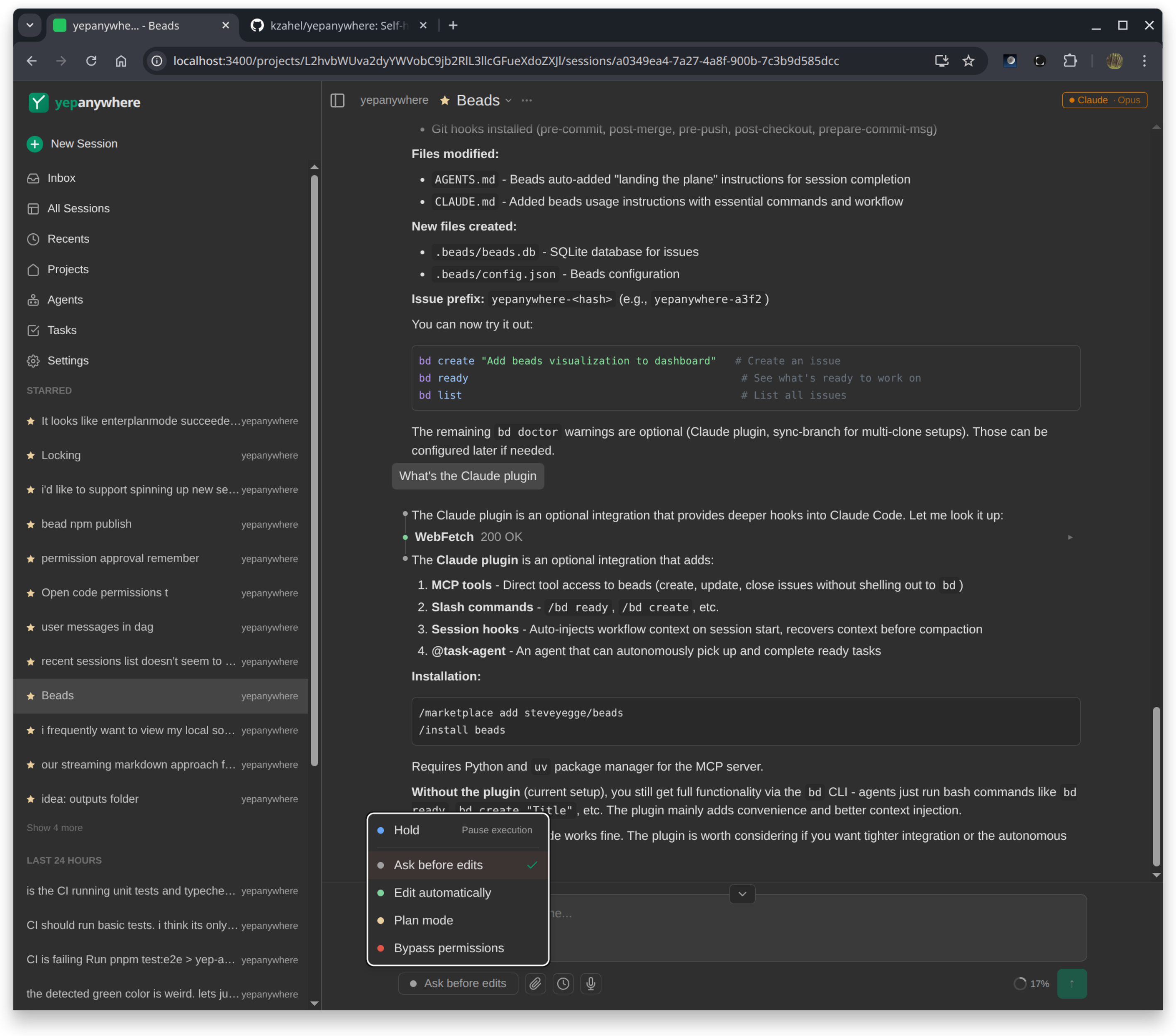
Approve edits from your phone
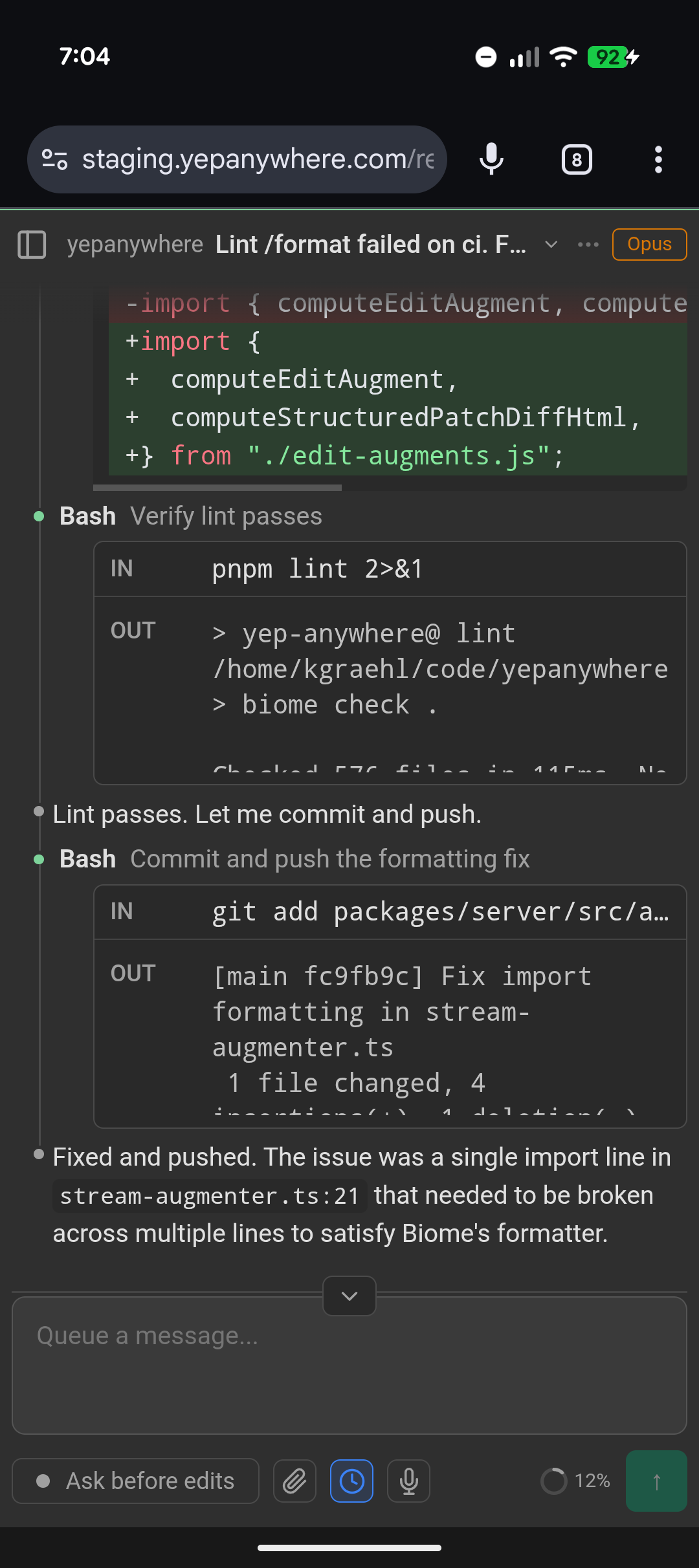
Fix issues from anywhere
Seamless handoff
Use Claude Code or Codex however you prefer on desktop. Yep Anywhere sees all your existing sessions — pick up from your phone with full context.
Sessions survive disconnects
Agents run on your computer. Leave it on, walk away, and access everything from your phone or another machine. Works on a dev server too.
Approve from your lock screen
Push notifications when agents need you. Tap to approve, type a response — unblock in seconds instead of waiting hours until you're back at your desk.
All sessions, one dashboard
See every project at a glance. Star the important ones, archive the finished ones. Context-switch without losing context.
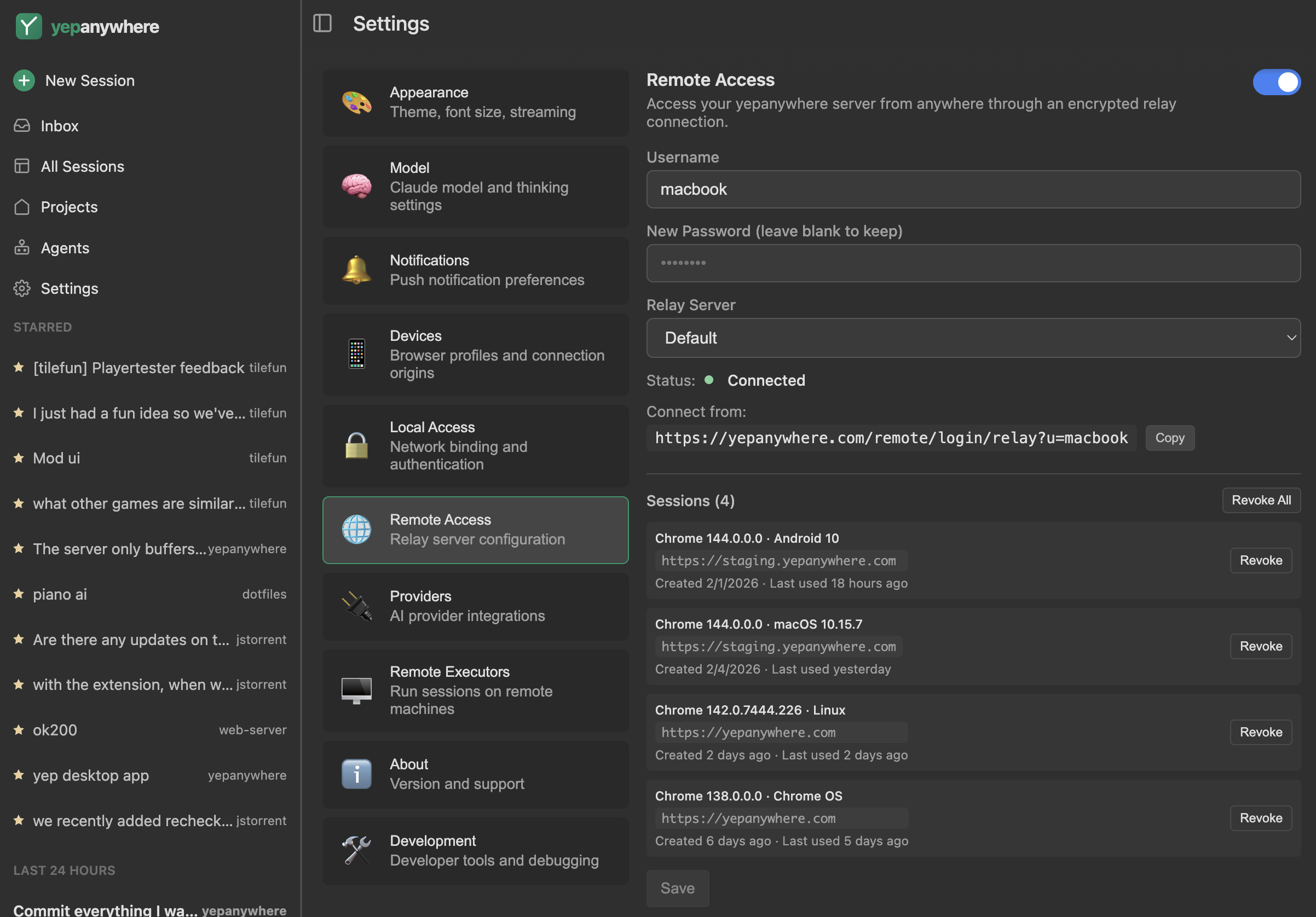
Access from anywhere, no VPN needed
Connect through our free relay — no Tailscale, no port forwarding, nothing technical. Just log in from the web. End-to-end encrypted so everything stays private.
Beyond Claude Code's Remote Control
Claude Code's Remote Control lets you interact with a running CLI session. Yep Anywhere is a full remote desktop into all your agent sessions — create, resume, and control everything.
- Create new sessions from your phone
- Multi-session dashboard across all projects
- Resume VS Code and Claude Desktop sessions
- Bypass mode — no manual approvals needed
- Works with Claude, Codex, Gemini, and API keys
Screenshots
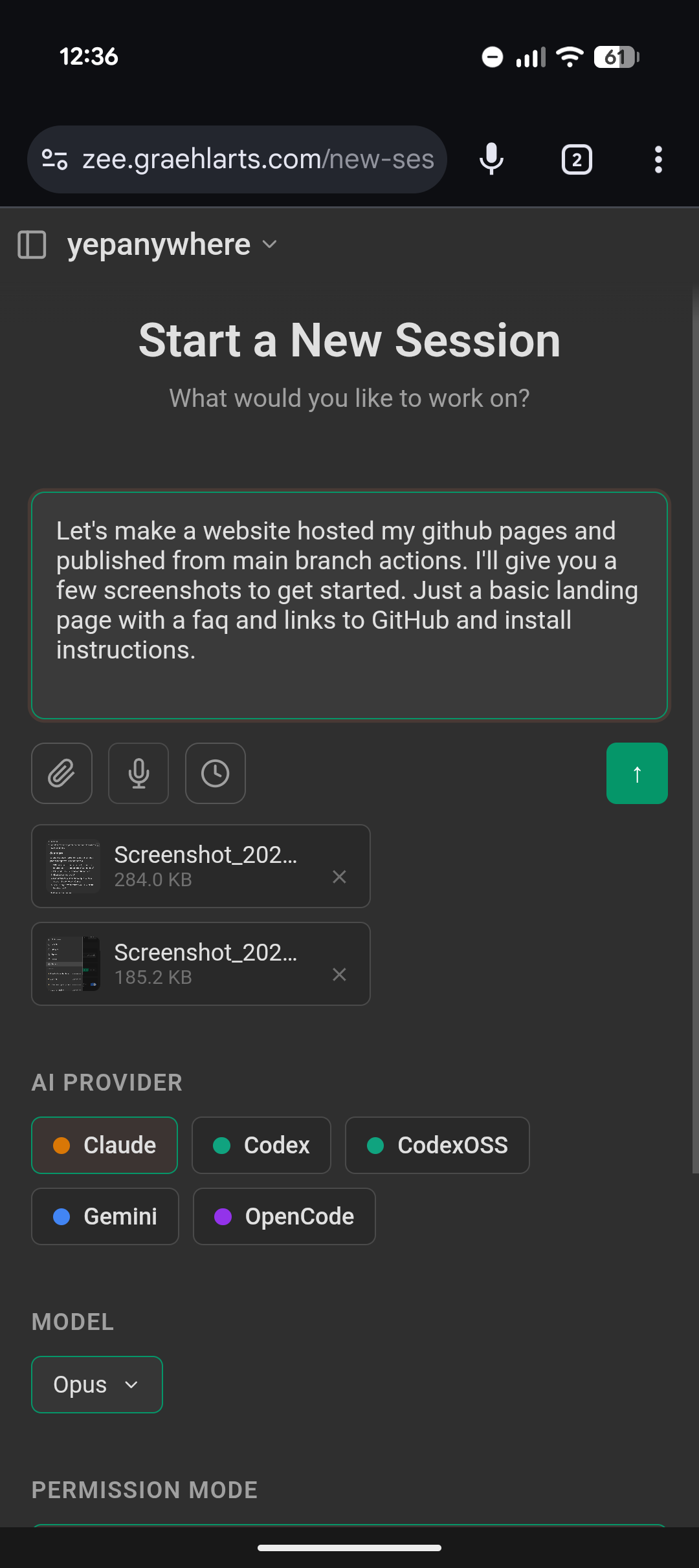
Start a new session
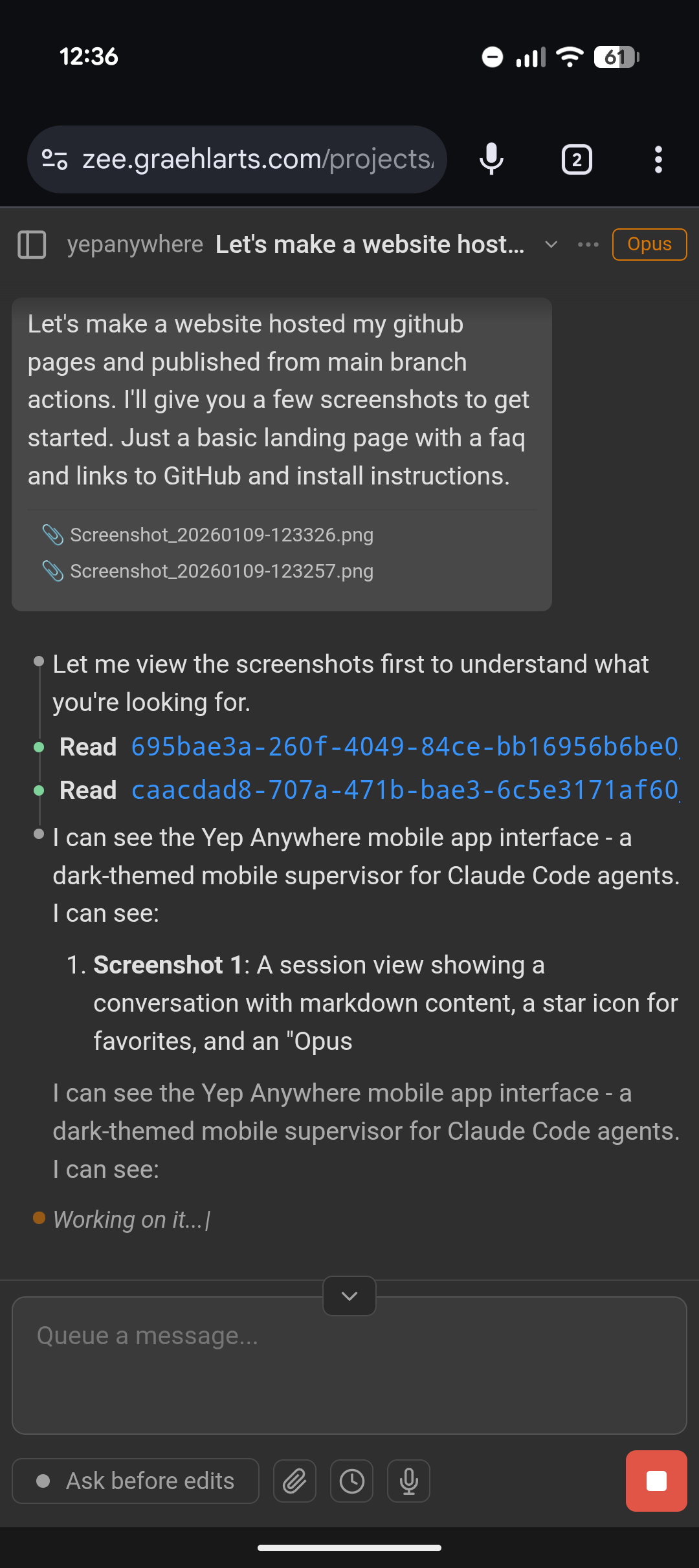
Chat with file uploads
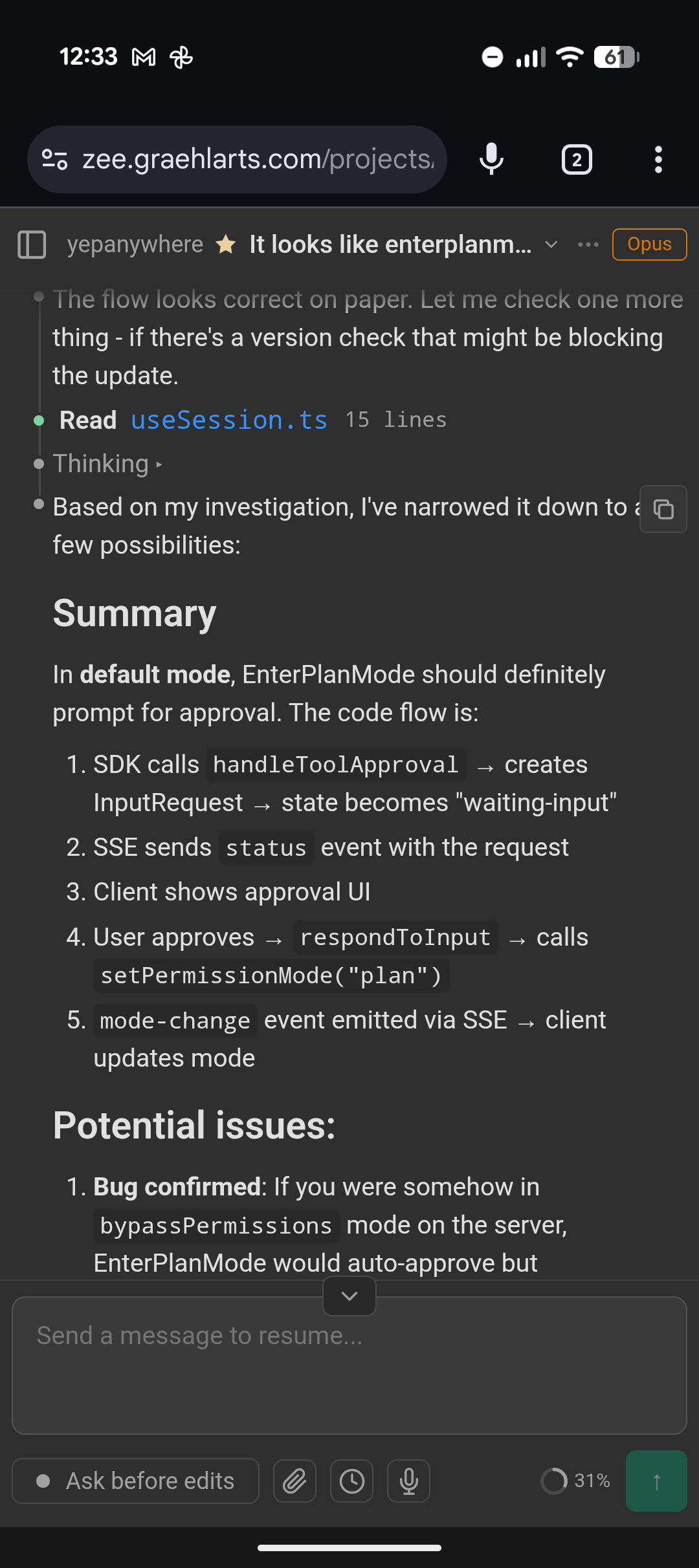
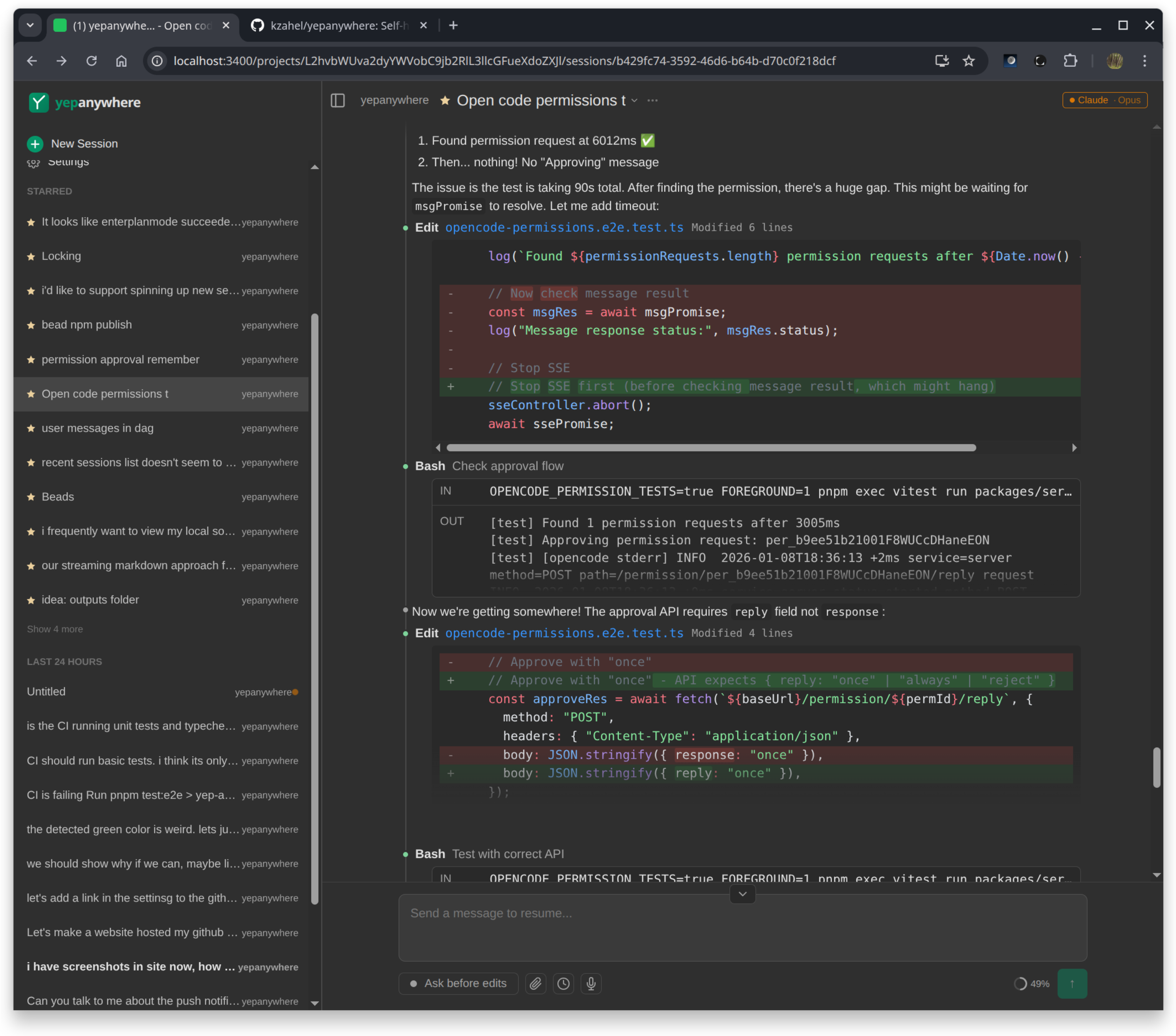
Watch agents work
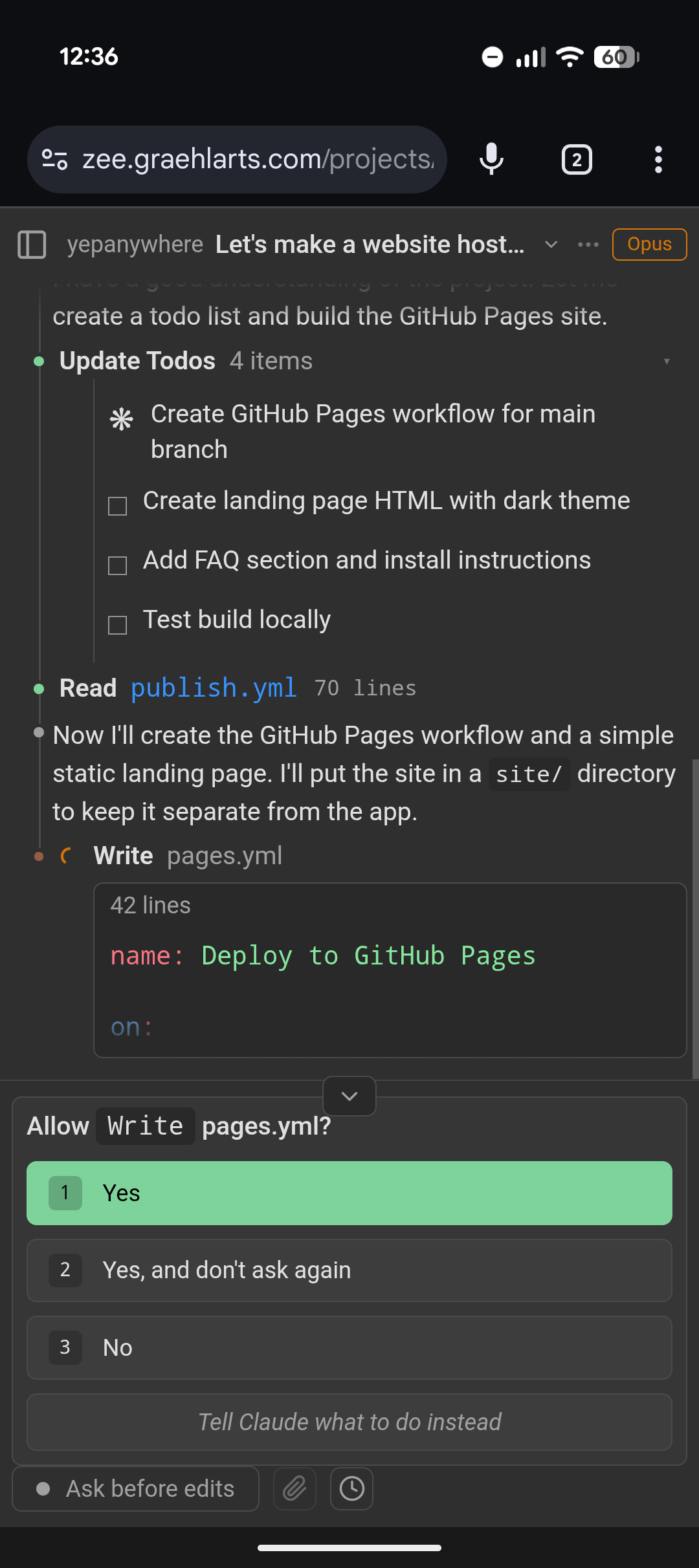
Approve tool requests
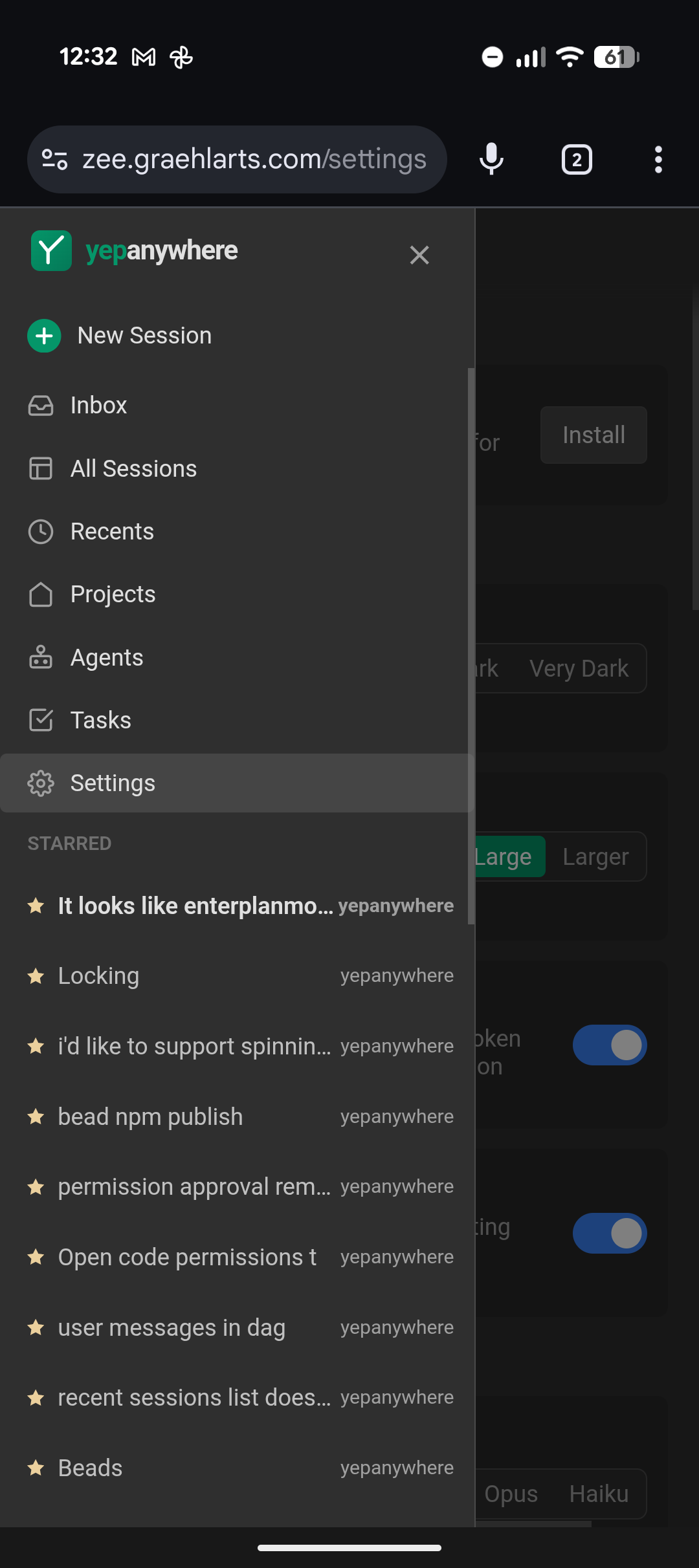
Multi-session dashboard
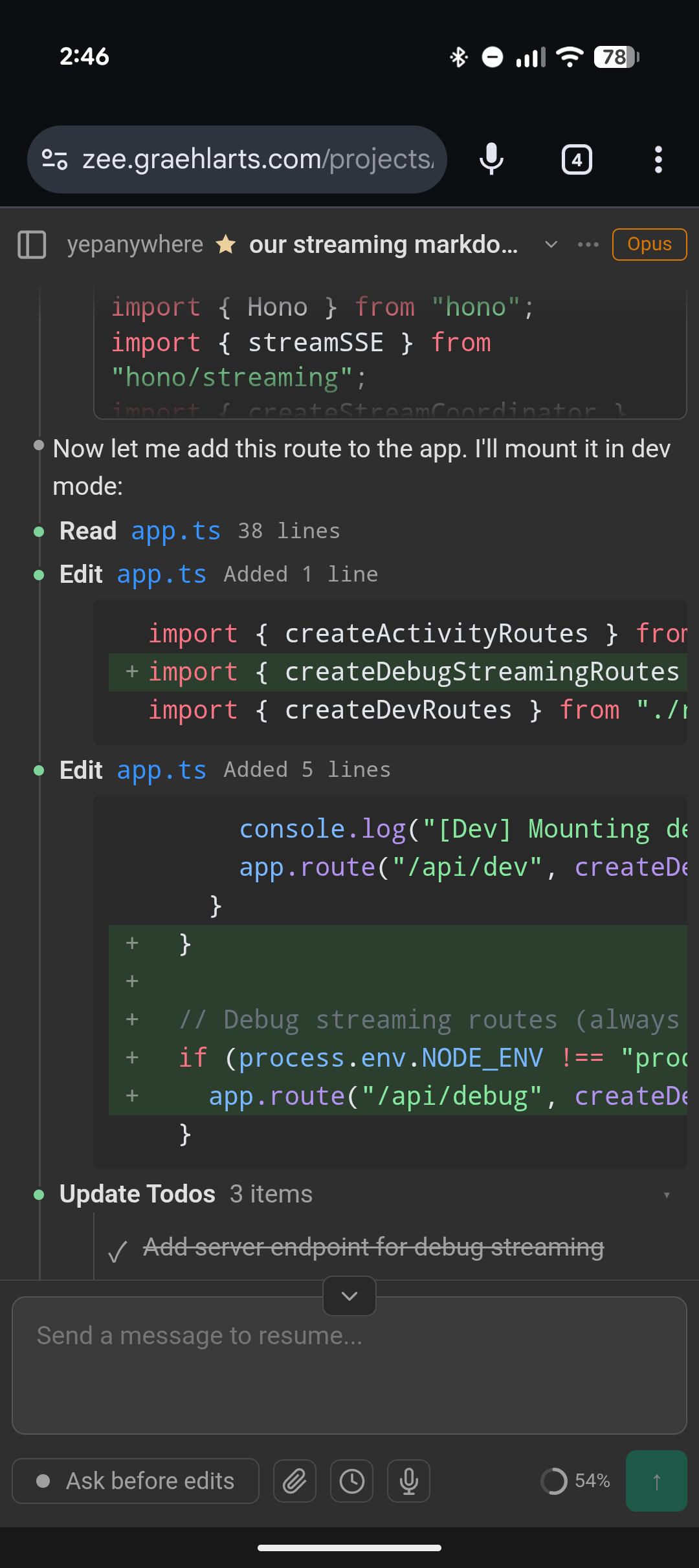
Diffs and todo tracking
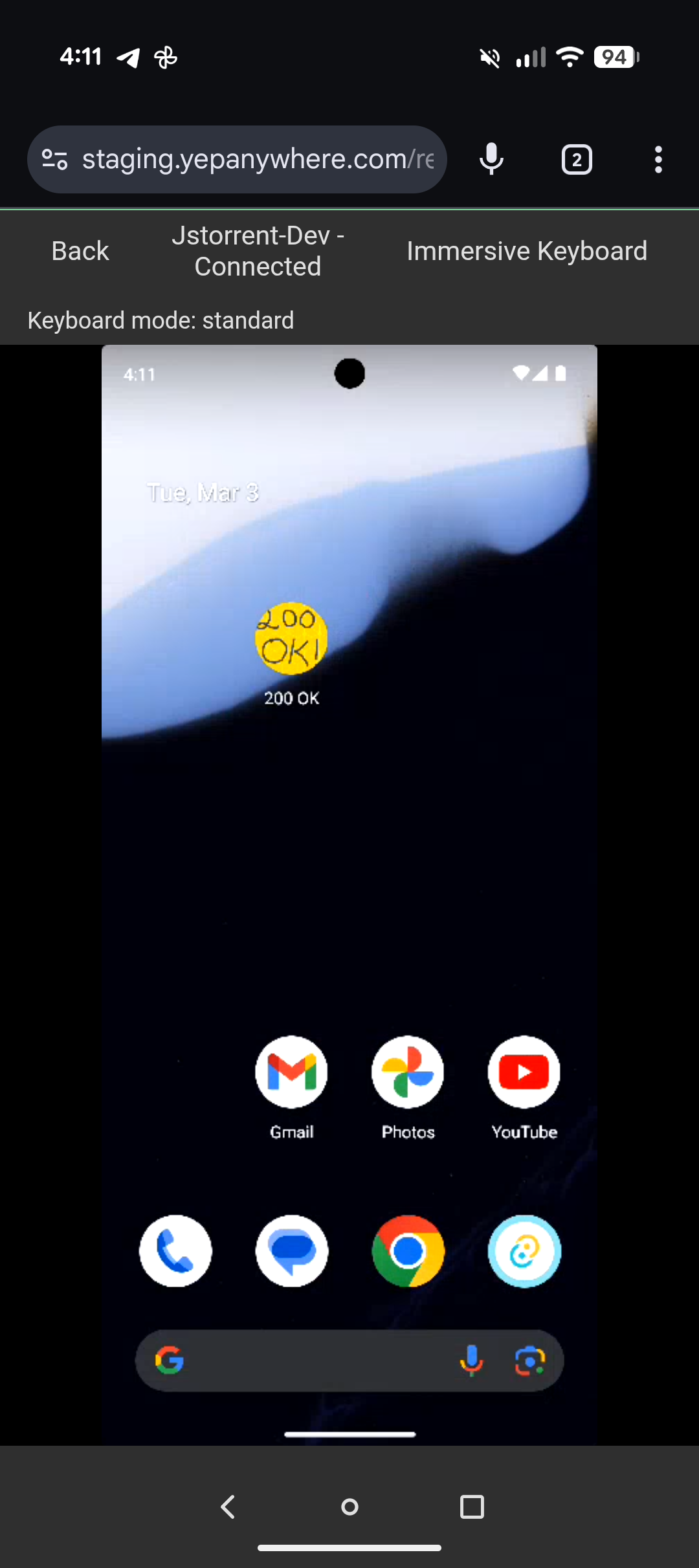
Remote device control
Works great on desktop too!
Features
Mobile-first with file uploads
Approve tool requests, upload files, and share screenshots directly from your phone's camera roll. Works great on desktop too.
Multi-session dashboard
See all your agents at a glance. Star important sessions, archive old ones, easily multitask.
Server-owned processes
Agents run on your dev machine. Client disconnects don't interrupt work. Pick up where you left off.
Push notifications
Get notified when approval is needed. Uses VAPID with no third-party server required.
Claude Code + Codex
Full support for both Claude Code and Codex CLI. Start sessions, approve tools, and view diffs — same workflow for both providers.
Remote device control
Stream Android emulators and devices to your phone over WebRTC. Touch input, nav buttons, adaptive quality. Spot-check builds without walking to your desk. Learn more.
Voice input
Talk to your agents via browser speech API. Great for Linux where SuperWhisper isn't available.
Free remote relay
Access your server from any browser — no Tailscale, no VPN, no port forwarding. Just set a password and log in. End-to-end encrypted with NaCl so not even the relay can see your data.
Session interop
View sessions started in the CLI or VS Code in real time, or resume them from your phone. Works for both Claude Code and Codex.
TOS compliant
Uses the official Agent SDK — no header spoofing, no OAuth interception, no pricing circumvention. You authenticate via your own CLI. Learn more.
Installation
Install from npm
npm i -g yepanywhereyepanywhere Or run from source
git clone https://github.com/kzahel/yepanywhere.gitcd yepanywherepnpm installpnpm start Then open http://localhost:3400 in your browser. Yep Anywhere auto-detects Claude Code and Codex.
FAQ
What is this?
A web interface for Claude Code and Codex. Like the VS Code extension, but accessible from any device and designed for multi-session workflows.
Which agents do I need?
Install Claude Code, Codex CLI, or both. Yep Anywhere auto-detects installed agents and provides a unified interface for managing them.
How do I access it from my phone?
Use our free public relay at relay.yepanywhere.com — just enable it in Settings. All traffic is end-to-end encrypted (SRP-6a + TweetNaCl) and we can't see your data. No accounts required. You can also run your own relay if you prefer.
Is there a hosted version?
No. This runs entirely on your own machine. No accounts, no cloud, no database. Your sessions stay local.
Can I see sessions started in the terminal?
Yes! Yep Anywhere shows all Claude Code and Codex sessions on your machine, including those started from the CLI or VS Code. You can view them in real-time or resume them.
Can I manage agents on multiple machines?
Yes! Add SSH host aliases in Settings to run agents on VMs, containers, or remote servers. Sessions sync back via rsync so you get unified history across all your dev environments — filter by machine, see everything in one dashboard. This feature is experimental.
What providers are supported?
Claude Code (full support), Codex CLI (full support), and OpenCode (experimental). See the README for details.
Is it open source?
Yes, 100% open source under the MIT license. View on GitHub.